MOUSE SENSITIVITY CONVERTER / PRECISION GUIDE
How many decimal places should you keep in a sensitivity conversion?
Keep the most precise value your target game actually stores. Copy the converter’s precise result, read the setting back after applying it, and only round when the game requires it. Extra displayed decimals do not fix the wrong DPI, preset or aiming mode.
Published October 16, 2026 · AimConvert · an independent developer
Open the mouse sensitivity converter ↗What does rounding change?
A hipfire conversion matches a physical turn distance under a particular mathematical model. If the target sensitivity is rounded up, the character turns farther for the same mouse travel, so its distance for a full turn becomes shorter. Rounding down makes that distance longer. Neither direction proves the converter’s underlying ratio was wrong.
There are three different values to keep apart: the exact value in the model, the text displayed by the calculator, and the number the game retains. A short result label can coexist with a more precise copy button. A long paste can also be shortened by the target game. Check the retained value rather than counting the characters you pasted.
A reproducible precision experiment
For this worked example, choose source sensitivity 1.2, source DPI 800 and target DPI 800. Use the existing AimConvert community presets named Counter Strike and Valorant, with yaw coefficients 0.022 and 0.07. These are fixed illustrative inputs, not a recommended setup and not a claim that a current game build was measured. The coefficient reference is pinned below so another reader can repeat the arithmetic.
Desired cm/360 = 360 × 2.54 ÷ (800 × 1.2 × 0.022) = 43.295454545…
Actual model cm/360 = 360 × 2.54 ÷ (800 × entered target × 0.07)
Distance error (%) = (actual model cm/360 ÷ desired cm/360 − 1) × 100
Round the exact target to the nearest value at each listed decimal precision. Recalculate the target turn distance from that rounded setting; do not round the distance first. A positive error means more mouse travel for a full turn. A negative error means less. The signs describe the model’s physical distance, not whether a particular player will notice it or aim better.
| Decimals | Entered setting | Model cm/360 | Distance error |
|---|---|---|---|
| 1 | 0.4 | 40.821429 | -5.714286% |
| 2 | 0.38 | 42.969925 | -0.751880% |
| 3 | 0.377 | 43.311861 | +0.037893% |
| 4 | 0.3771 | 43.300375 | +0.011365% |
| 6 | 0.377143 | 43.295438 | -0.000038% |
The two-decimal entry 0.38 is only 0.002857142857… above the exact setting, yet its full-turn distance is about 0.751880 percent shorter. Keeping three decimals yields 0.377 and reverses the direction: the distance is about 0.037893 percent longer. This reversal is expected because the nearest rounded value moved from above the exact target to below it. More digits reduce the size of the rounding step; they do not make every intermediate rounded value fall on the same side.
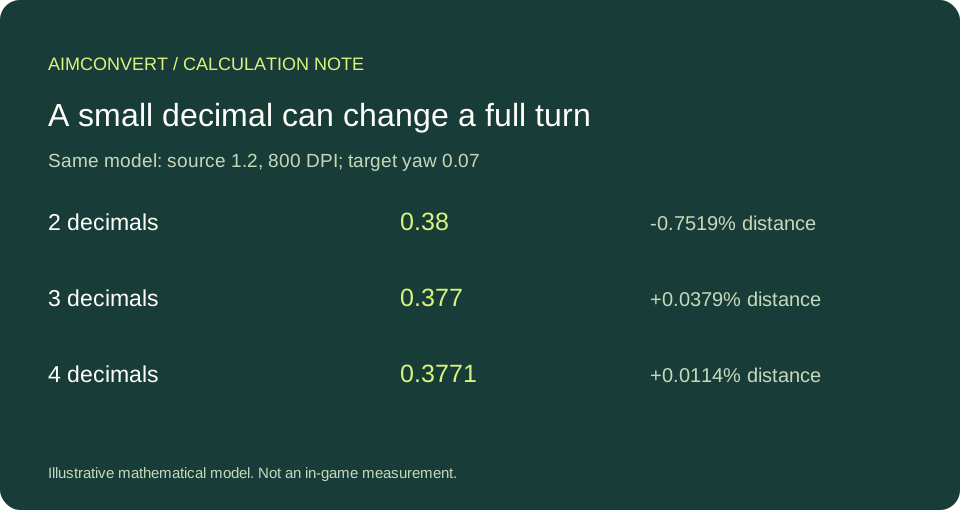
Check a decimal limit before choosing a value
Suppose a target accepts steps of 0.001. For this example, the closest representable setting is 0.377. Compare that with 0.378 using the same distance formula; its turn distance is approximately 43.197279 cm, so it is farther from the desired 43.295455 cm than 0.377 is. Writing fifteen digits cannot bypass a game that retains only thousandths. This comparison is conditional on the hypothetical step, not a statement about Valorant’s current input limit.
You can also bound the sensitivity rounding error without assuming a game. With step q and rounding to the nearest step, the entered sensitivity differs from the exact value by at most q divided by two. That is an absolute sensitivity bound. For turn distance, use the reciprocal formula above rather than treating the bound as an identical percentage. At very low sensitivities the same absolute step occupies a larger fraction of the original setting, so check the actual values rather than using a universal decimal-count rule.
A final sanity check is to convert the entered target setting back to the source using the reciprocal yaw and DPI ratio. With 0.377, the back-converted source is 0.377 × 0.07 ÷ 0.022 = 1.1995454545…. Its small difference from 1.2 is explained by rounding. If the discrepancy is large, inspect your inputs before blaming decimal formatting. A successful round trip checks algebraic consistency; it does not validate the physical coefficients or the game’s input path.
How do I check what the game kept?
- Write down both DPI values, the exact preset names and whether the aim is hipfire.
- Use the precise copy button where available, then apply the target value using the game’s supported settings interface.
- Reopen the setting and read back the stored value. Do not edit protected configuration files or assume a display label reveals internal precision.
- If you test a physical turn, use a repeatable start direction and the same mouse reference point. Record several trials and report the spread. This article supplies no physical trial results.
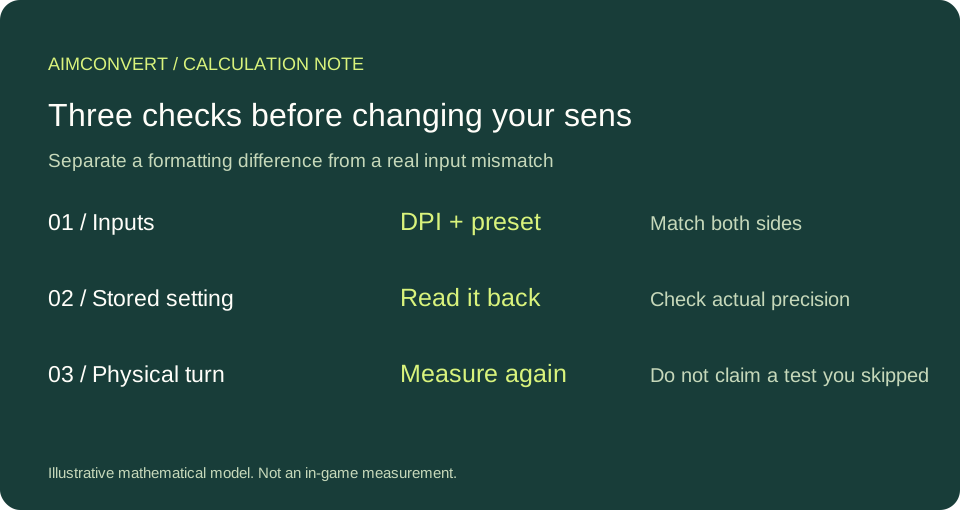
Quick answers
Should I use the displayed number or the copied number?
Use the more precise copied value when the target accepts it. AimConvert displays six significant digits and its copy button uses twelve significant digits. Significant digits are not the same as decimal places: leading zeros do not count toward significant precision.
Does matching cm/360 guarantee identical aim feel?
No. The calculation matches the modeled full-turn distance. It does not promise identical field of view, scoped movement, acceleration behavior or visual response.
Is eDPI a cross-game precision check?
No. DPI times sensitivity omits the game’s yaw scale. Use the yaw-aware turn-distance calculation for this check, and compare eDPI within the same sensitivity scale.
Calculation reference
The yaw inputs come from the pinned community preset data. All table entries are independently recalculated for this article with decimal arithmetic. Presets are not publisher-certified measurements; no current-build, ADS or scope accuracy is claimed.