MOUSE SENSITIVITY CONVERTER / DPI GUIDE
How to change DPI and keep the same turn distance
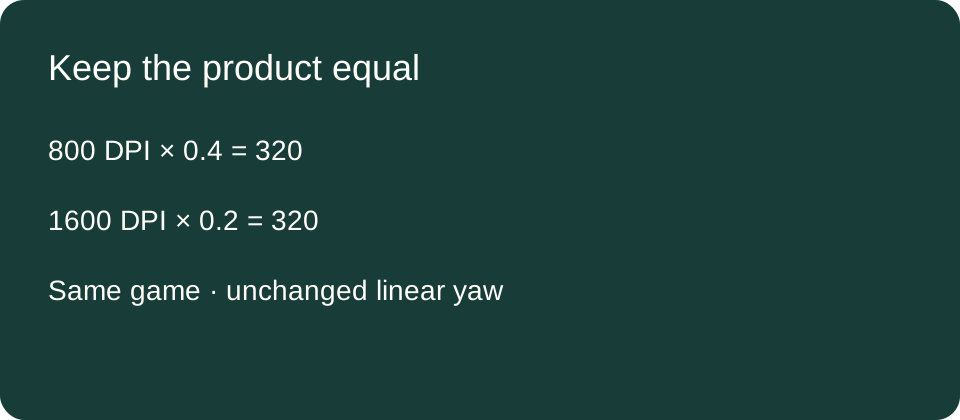
New sensitivity = old sensitivity × old DPI ÷ new DPI. Going from 800 to 1600 DPI means halving sensitivity: 0.4 becomes 0.2. This preserves the calculated turn distance in the same game with an unchanged linear input scale.
Published October 17, 2026 · AimConvert · an independent developer
Calculate with your own DPI values ↗Start with the active profile
Record the DPI your mouse is actually using in the game, rather than a number from a different profile. Keep the same axis, hipfire or scoped mode, base scale and other multipliers while comparing settings. If your device has separate horizontal and vertical DPI, the horizontal turn-distance calculation uses the horizontal value.
This guide compensates for a DPI change. It does not recommend a particular DPI or promise identical sensor behavior, latency or subjective feel. A desktop pointer and a game's camera may also follow different input paths. Do not adjust Windows pointer speed simply because a hipfire calculation changed.
Five independently calculated examples
These rows are calculated examples, not physical mouse trials. For each row, multiply the old DPI by the old sensitivity, divide that product by the new DPI, and then multiply back to check equality. The last column deliberately shows both products so an inverted ratio is easy to catch. No game-specific coefficient is needed while that coefficient remains unchanged on both sides.
Check: old DPI × old sensitivity = new DPI × new sensitivity
| DPI change | Sensitivity change | Product check |
|---|---|---|
| 800 → 1600 | 0.4 → 0.2 | 320.0 = 320.0 |
| 1600 → 800 | 0.2 → 0.4 | 320.0 = 320.0 |
| 400 → 800 | 2 → 1 | 800 = 800 |
| 800 → 1200 | 0.6 → 0.4 | 480.0 = 480.0 |
| 800 → 1600 | 1.2 → 0.6 | 960.0 = 960.0 |
In the first row, 800 × 0.4 = 320. Dividing 320 by 1600 gives 0.2; multiplying 1600 × 0.2 returns 320. In the reverse row, lowering DPI to 800 requires raising sensitivity to 0.4. The adjustment works in either direction because one factor increases while the other decreases. You do not halve both settings.
The 800-to-1200 row tests a change that is not a doubling. Its DPI ratio is 800/1200, or two thirds. Multiplying 0.6 by two thirds gives 0.4, and both products equal 480. This is why using a fixed instruction such as “always halve sensitivity” fails outside the specific case of doubling DPI.
A controlled counterexample
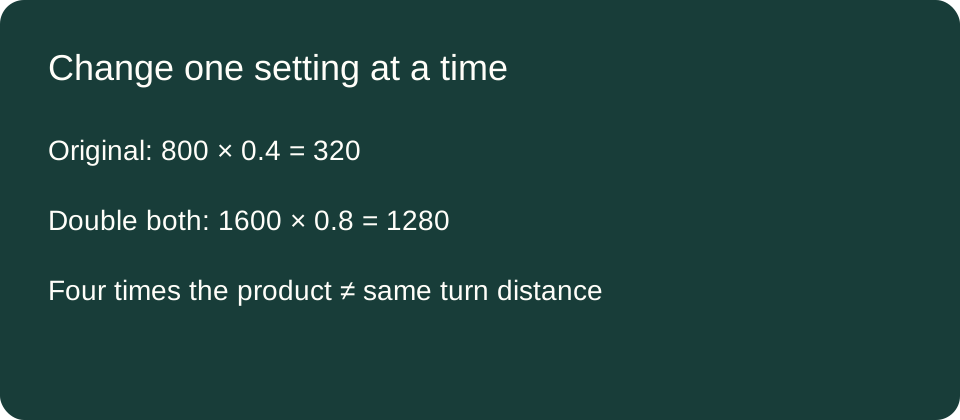
Start again at 800 DPI and sensitivity 0.4. If you double DPI to 1600 and leave sensitivity at 0.4, the product becomes 640 instead of 320. Rotation per inch doubles in this model, so the distance required for a full turn halves. If you also double sensitivity to 0.8, the product becomes 1280, four times the original; full-turn distance becomes one quarter of the original.
The distinction can be checked without choosing a game. Let the unchanged yaw coefficient be y degrees per count at sensitivity one. The original distance is 914.4/(320y) centimeters, the unchanged-sensitivity case is 914.4/(640y), and the double-both case is 914.4/(1280y). Dividing each distance by the original cancels both 914.4 and y, giving one half and one quarter. The constant 914.4 is 360 degrees times 2.54 centimeters per inch.
Why the rule stops at the same game scale
In the linear model, rotation equals travel in inches × DPI × sensitivity × yaw. Equating old and new rotation for the same travel and cancelling unchanged yaw gives the compensation rule. If yaw changes, it cannot be cancelled. For a cross-game conversion, the complete equation is target sensitivity = source sensitivity × source DPI × source yaw ÷ (target DPI × target yaw).
As an algebra check, deliberately set target yaw to twice source yaw while leaving the DPI–sensitivity product equal. Rotation then doubles despite the matching products. This counterexample explains the boundary of the same-game rule; the chosen coefficient relationship is hypothetical, not an assertion about two named games.
Apply and verify one change at a time
- Write down the old active DPI, sensitivity and aim mode.
- Calculate the new value using the full ratio. In AimConvert, select the same preset on both sides and enter different source and target DPI values.
- Apply the new DPI and sensitivity using supported settings, then reopen the game setting to read back what it retained.
- If you compare physical turn distance, keep the same direction and mouse reference points, repeat the trial, and record the spread. This article reports no hardware measurements.
If the game stores fewer decimals than your result, see the worked rounding-error guide. Do not confuse a stored-value limit with an inverted DPI ratio.
Quick answers
If I double DPI, should I halve sensitivity?
Yes, for this same-game linear model with other factors unchanged. For any other DPI ratio, use the formula rather than a doubling shortcut.
Will ADS and scopes automatically match?
The calculation only covers the aim mode whose scale stays fixed. Check the game's actual interaction between base sensitivity and any separate scope multiplier before changing several controls together.
Can I compare equal products across different games?
Only if their relevant sensitivity scales also match. The full yaw-aware conversion is necessary when they differ.
Method and references
All table entries and counterexamples are independently calculated here. The linear yaw model is stated explicitly; it is not a current-build hardware test. Microsoft's mouse-input documentation distinguishes raw movement from desktop cursor processing. Logitech's HERO 2 documentation describes separate X/Y DPI configuration, which is why checking the relevant active axis matters.