MOUSE SENSITIVITY CONVERTER / UNIT GUIDE
Convert inches/360 to cm/360 without changing your turn distance
Multiply inches per full turn by 2.54 to get cm/360. Divide cm/360 by 2.54 to get inches per full turn. For example, 15 inches/360 equals 38.1 cm/360. Convert the number as well as its label before entering it into a mouse sensitivity converter; the physical distance stays the same.
Published October 21, 2026 · AimConvert · an independent developer
Convert a distance to sensitivity ↗Check the unit before the game preset
Inches/360 and cm/360 both describe physical mouse travel for one complete horizontal rotation. They are distance inputs, not an in-game sensitivity setting. Keep the full-turn denominator unchanged when converting the length unit. A setting such as 1.5 in a game's sensitivity menu is a different quantity; multiplying that setting by 2.54 is not a general game conversion.
A paired-unit table you can check backward
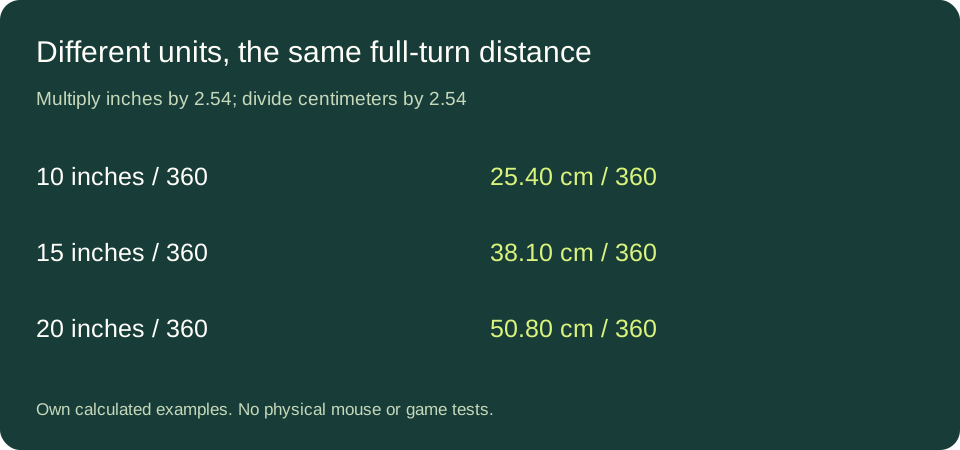
Choose five example distances in inches and multiply each by the exact length factor 2.54. These are constructed inputs for arithmetic, not recommended sensitivities or collected player data. Every row includes a reverse calculation so that the direction of conversion is visible. The trailing zero in 25.40 is table formatting, not a claim of measurement accuracy.
| Inches/360 | cm/360 | Reverse check |
|---|---|---|
| 5 | 12.70 | 12.70 / 2.54 = 5 |
| 10 | 25.40 | 25.40 / 2.54 = 10 |
| 12 | 30.48 | 30.48 / 2.54 = 12 |
| 15 | 38.10 | 38.10 / 2.54 = 15 |
| 20 | 50.80 | 50.80 / 2.54 = 20 |
inches/360 = cm/360 ÷ 2.54
For the middle example, twelve times 2.54 is 30.48. Dividing 30.48 by 2.54 returns twelve exactly. The two factors cancel, so no game coefficient or DPI is required to change these units. That cancellation checks the unit arithmetic only; it says nothing about whether a real mouse actually travels the predicted distance in a particular game.
What happens if you change only the label?
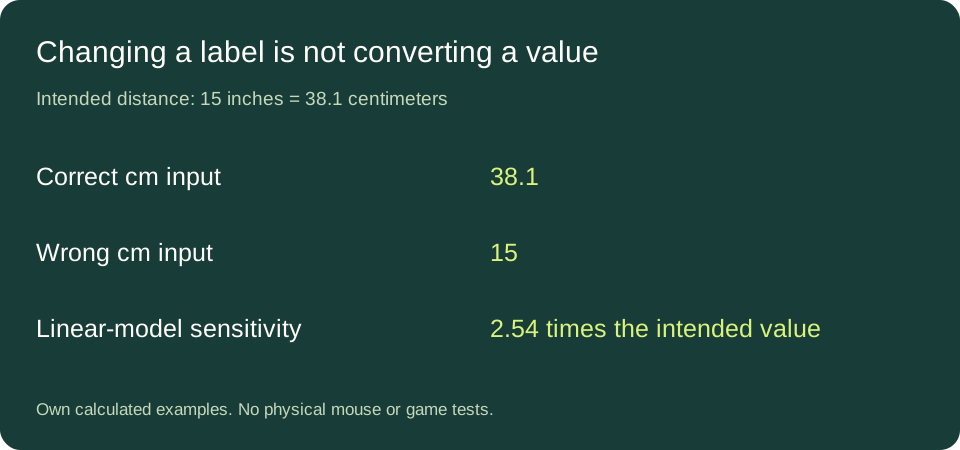
Construct an intended distance of fifteen inches per turn. Its centimeter value is 15 × 2.54 = 38.1. If you instead enter fifteen in a field labelled cm/360, you have requested a different physical distance: fifteen centimeters, rather than 38.1. This mistake is an input mismatch even if the calculator performs its chosen formula correctly.
In a linear rotation model at fixed DPI and yaw, sensitivity is inversely proportional to full-turn distance. Write the model as sensitivity = K / distance in centimeters, with K held fixed. The wrong-to-intended sensitivity ratio is therefore (K/15)/(K/38.1) = 38.1/15 = 2.54. The wrong setting is 2.54 times the intended setting, or 154 percent higher. This is a conditional mathematical result, not a measured outcome in a current game build.
The distance ratio goes the other way: 15/38.1 = 1/2.54, approximately 0.393701. Thus the requested distance is about 39.3701 percent of the intended distance, or 60.6299 percent shorter. The sensitivity increase and distance decrease are not the same percentage because the quantities are reciprocal. Reporting both as a generic percentage error would hide which quantity changed.
A percentage comparison survives a correct unit change
Construct two distances, fifteen and 16.5 inches per turn. Their change relative to the first is (16.5/15 − 1) × 100 = 10 percent. Convert both: fifteen inches becomes 38.1 cm and 16.5 inches becomes 41.91 cm. Now calculate (41.91/38.1 − 1) × 100, which is also ten percent. Multiplying both distances by the same factor cancels in their ratio.
The absolute difference changes its numeral: 1.5 inches becomes 3.81 centimeters. It still describes the same length. Comparing the numeral 16.5 directly with 38.1 would mix units and destroy this equivalence. First normalize both records to one unit, then calculate their ratio or difference. This comparison concerns distance, not aiming performance or visual feel.
Equivalent inputs should request the same modeled setting
As a concrete calculator check, use a target DPI of 800 and a linear target yaw coefficient of 0.07. A fifteen-inch distance gives 360/(800 × 0.07 × 15) = 3/7 sensitivity. Its 38.1 cm equivalent gives 914.4/(800 × 0.07 × 38.1), also 3/7. The centimeter numerator is 360 × 2.54, while its denominator contains the same length factor through 38.1 = 15 × 2.54.
The exact modeled sensitivity is approximately 0.428571428571. A six-significant-digit display shows 0.428571 in either mode. This is an equivalence check for the stated formula; it does not independently establish any preset's current accuracy. Keep the DPI and target preset unchanged when comparing the two input modes.
Use the distance input in AimConvert
- Select the supported target preset and its actual DPI.
- Choose either cm / 360° or inches / 360° as the input type.
- Enter the distance in that unit. If switching units, convert the number too; changing the field's unit alone is not a conversion workflow.
- Read the resulting in-game sensitivity and retain the original distance record for comparison.
Direct answers
Is 15 cm/360 the same as 15 inches/360?
No. Fifteen inches is 38.1 cm. Equal numerals with different length units are different distances.
Does the exact factor make my ruler reading exact?
No. Exact unit conversion does not remove limitations in the original observation. See the measurement record guide for keeping reading bounds and repeated observations separate.
Are cm/360 and degrees per centimeter interchangeable labels?
No. One is distance per full rotation; the other is angle per distance. They require a reciprocal relationship, not just the 2.54 length conversion.
Sources and calculation method
NIST's SI conversion table gives the inch-to-centimeter factor. All worked cases here were checked using exact rational arithmetic initialized from decimal strings. Distances are author-selected examples, not physical measurements, player recommendations or claims of improved aim.